



How We Deliver Implementation Projects
How we deliver projects — structured, transparent, on-time.
A clear methodology built for smooth delivery, open communication, and successful business transformation. Whether your workflows are fixed or fast-changing, we have a delivery model that fits.
Our ERPNext Implementation Methodology
Two proven delivery models. One picked for you.
We follow a structured, transparent methodology and work comfortably with both Agile and fixed-cost Waterfall models, chosen based on your requirements, project complexity, and engagement preference.
| Model | Recommendation |
|---|---|
| Fixed-cost Waterfall | For organizations working with us for the first time or operating in a low-trust outsourcing environment, with clearly defined scope, timelines, deliverables, and approval checkpoints. |
| Agile | For businesses with evolving workflows, changing operational requirements, and fast-paced growth, allowing flexibility, faster iterations, and continuous improvement throughout the project lifecycle. |
Switch between the two models to see how each one runs
Agile ERPNext Development Methodology
Our Agile process is based on collaborative planning, continuous feedback, and incremental delivery.
Sprint Structure
We work in bi-weekly ERPNext development sprints. At the beginning of every sprint, tasks and development stories are prioritised based on business impact and implementation goals. Tap any step to see what happens in it.
Align priorities and business goals.
Understand requirements and expected outcomes.
Commit to realistic deliverables.
Develop and configure solutions.
Ensure quality and reliability.
Show working functionality.
Collect feedback and close sprint.
Move approved enhancements to the next sprint.
Sprint Planning: Sprint goals are set and the backlog is prioritised by business impact and implementation goals. Customer feedback feeds directly into the next sprint's planning.
Deliverables for Each Sprint
| # | Sprint Deliverable |
|---|---|
| 1 | Completed ERPNext features and modules |
| 2 | Workflow customizations |
| 3 | Reports and dashboards |
| 4 | Bug fixes and improvements |
| 5 | Sprint demo and progress update |
| 6 | Updated task tracker and implementation status |
This Agile delivery approach helps businesses adapt quickly to operational changes while ensuring faster implementation cycles.
Waterfall ERPNext Implementation Methodology
In a fixed-cost waterfall model, we follow a structured phase-wise delivery process. Tap a phase to jump to its checklist.
Define and sign off the plan.
Validate real business scenarios.
Close UAT and prepare launch.
Scope definition and sign-off
Before development begins:
- Detailed Business Requirements Document (BRD) is prepared.
- Process flows and ERPNext solution mapping are finalised.
- Deliverables, timelines, and responsibilities are defined.
- Formal customer approval and sign-off is taken.
Scope control: Any requirement outside the approved scope is managed through a formal ERPNext change request process.
UAT (User Acceptance Testing) process
| Once development is completed: | |
|---|---|
| # | UAT Step |
| 1 | Features are deployed on the UAT environment |
| 2 | Customer teams perform ERPNext user acceptance testing |
| 3 | Business scenarios and workflows are validated |
| 4 | Bugs and issues are reported through the issue tracking system |
| 5 | Required fixes are completed before final approval |
UAT closure process
| The UAT phase is considered complete when: | |
|---|---|
| # | Closure Requirement |
| 1 | All critical and major issues are resolved |
| 2 | Approved workflows are tested successfully |
| 3 | Customer sign-off is received |
| 4 | Final go-live readiness checklist is completed |
Team Roles and Responsibilities
Single Point of Contact (SPOC)
For every ERPNext implementation project, we assign a dedicated Single Point of Contact (SPOC) or Functional Lead to ensure smooth coordination and clear communication throughout the project. Your SPOC acts as the primary contact between your team and our implementation team, helping manage discussions, track project progress, monitor dependencies, schedule meetings, and handle priorities or escalations whenever required.
Business users, owners, and client-side stakeholders
Single point for coordination, priorities, and escalations
Functional, technical, QA, DevOps, and support specialists
This structured communication approach helps avoid confusion, speeds up decision-making, and ensures your project moves forward efficiently and transparently.
ERPNext implementation team roles
Depending on the project scope, your team may include:
- ERPNext Functional Lead
- ERPNext Technical Developer Lead
- DevOps and Deployment Engineer (if required)
Each team member plays a defined role in ensuring successful ERPNext implementation and support.
Communication & Reporting Structure
| # | Communication Method |
|---|---|
| 01 | Daily standups: For Agile projects, we may conduct short daily standup meetings to review completed tasks, discuss blockers, align priorities, and track ongoing development activities. These quick check-ins help keep the project moving smoothly and ensure better coordination between teams. |
| 02 | Weekly sync meetings: For Waterfall projects, weekly sync meetings are conducted to review project progress, discuss pending tasks, share completed deliverables, address business concerns, and align on upcoming priorities. These meetings help ensure smooth communication and timely project execution. |
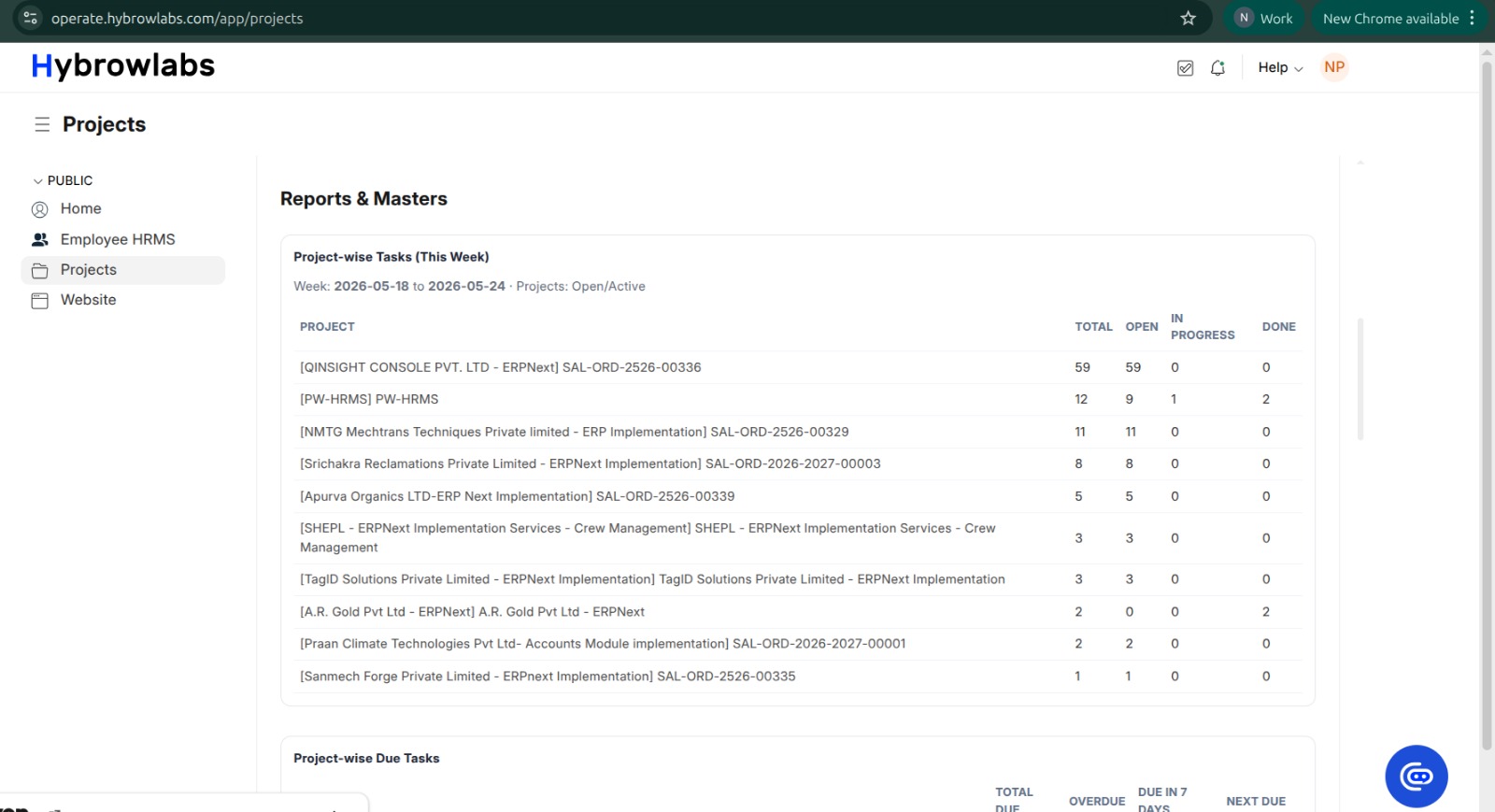
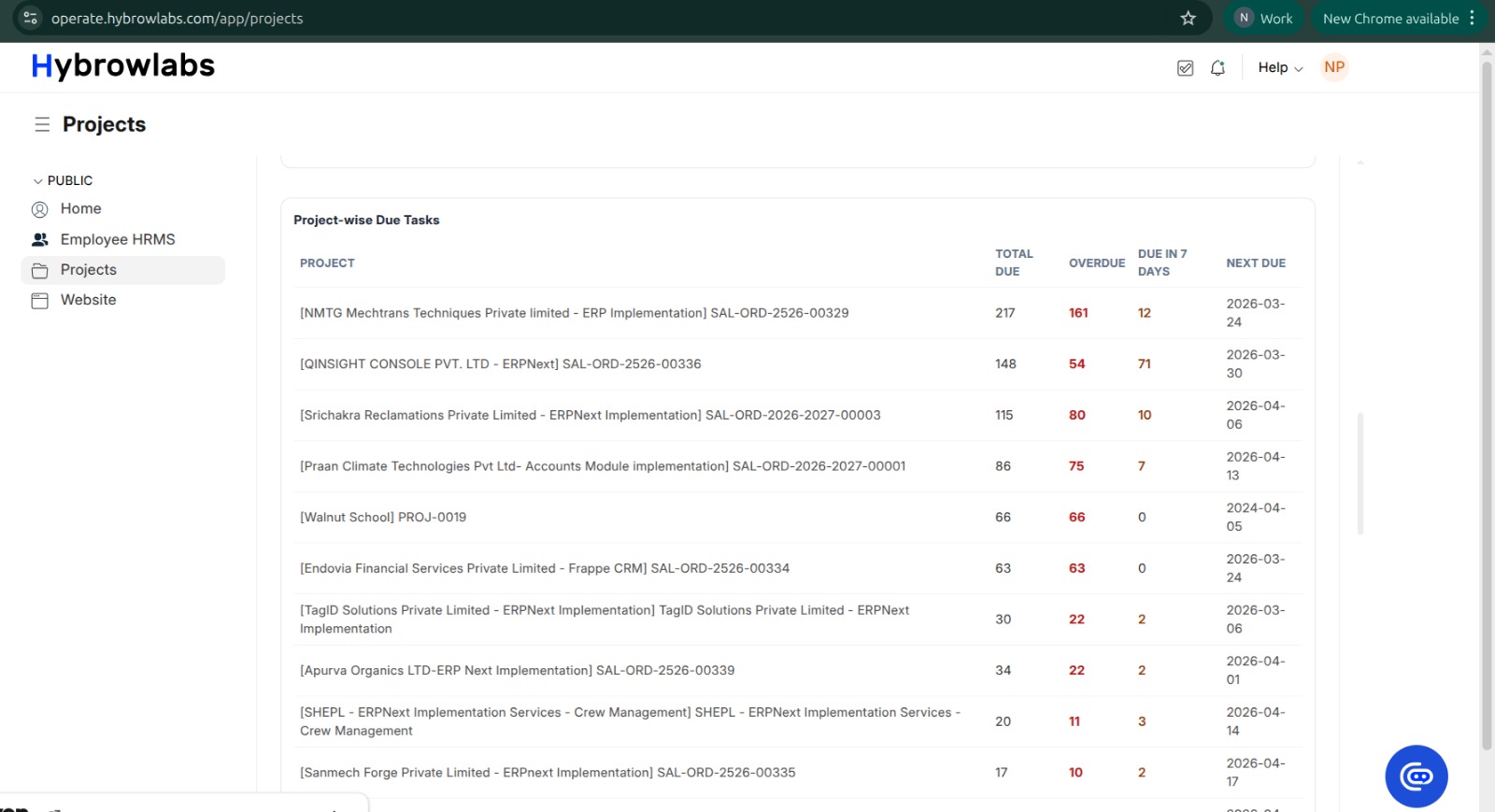
| 03 | Status reporting: Regular ERPNext project status reports are shared through these channels, and each report covers a consistent set of information for clear project visibility. |
| Reporting channel | Status report content |
|---|---|
| Project management platforms | Completed tasks |
| Task tracking systems | Pending activities |
| Weekly review calls | Risks and blockers |
| Email updates and meeting notes | Timeline updates |
| Bug and issue status | Current issue state and next actions |
Issue and Bug Tracking Process
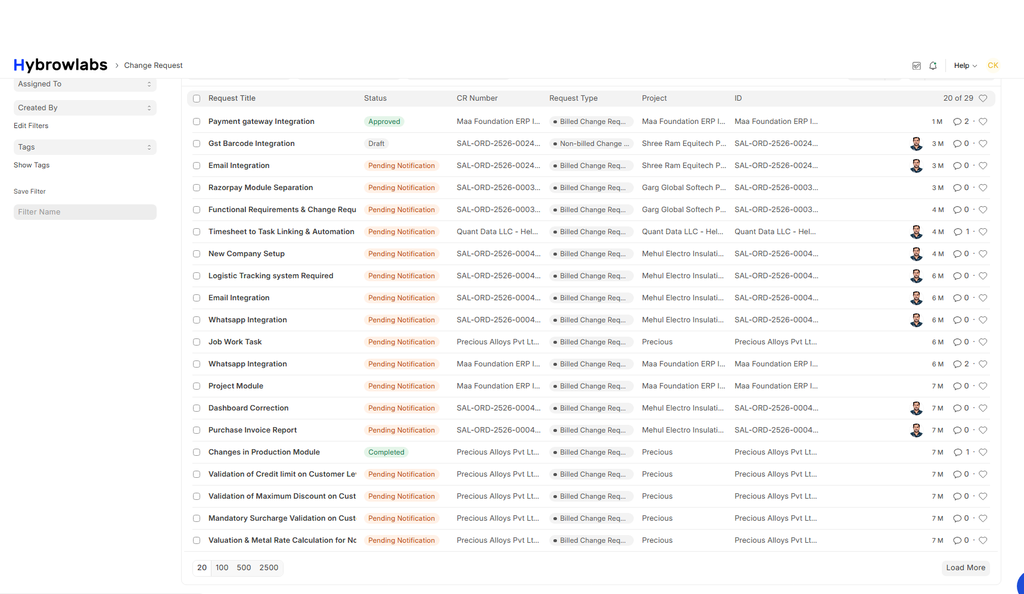
All ERPNext bugs, issues, and enhancement requests are tracked through a centralised issue tracking system. This structured process helps ensure faster resolution and better accountability. Each reported issue includes:
Change Request Process
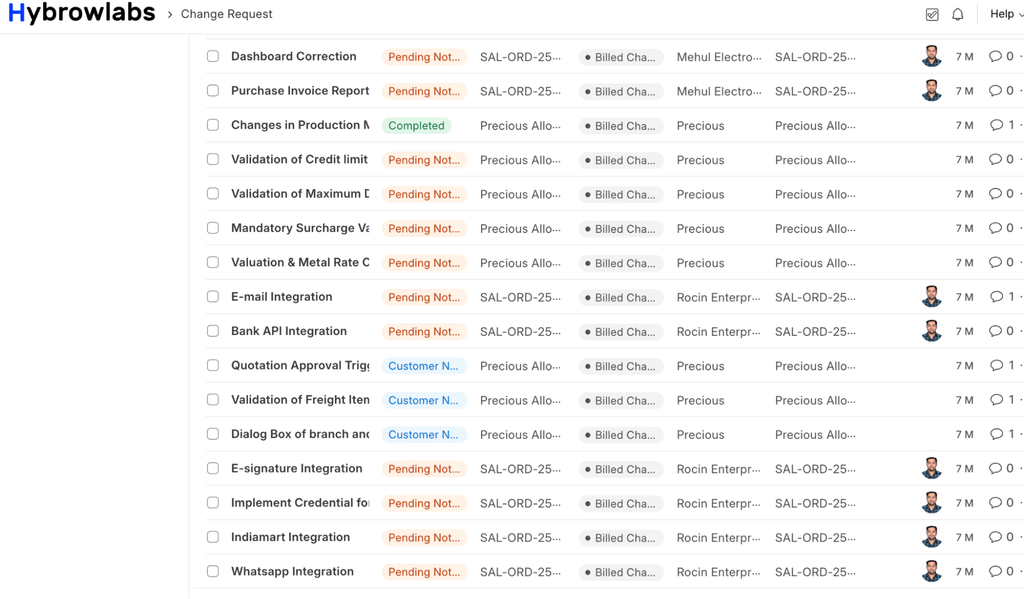
Any requirement outside the approved project scope is managed through a formal Change Request (CR) process. This maintains project transparency and scope control during ERPNext implementation.
Understand what is changing and why.
Estimate the work and delivery impact.
Assess how the change affects schedule.
Share cost impact, if applicable.
Approve before implementation begins.
User Acceptance Testing
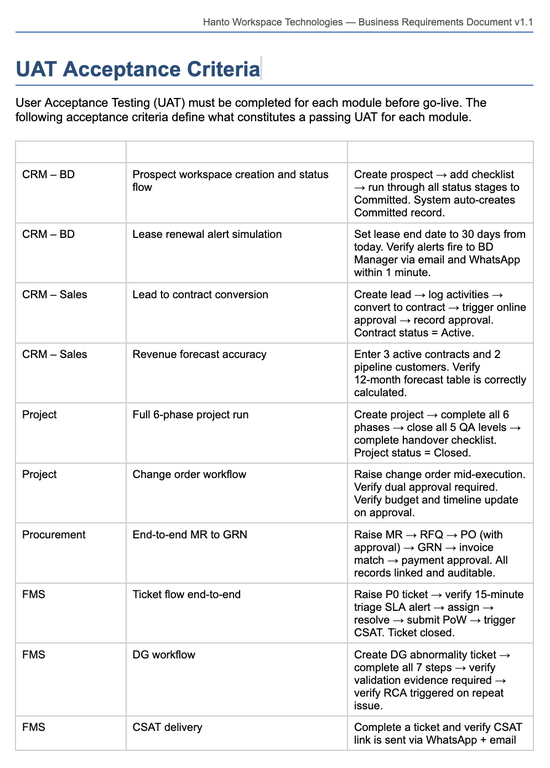
UAT is conducted once the key ERPNext modules, workflows, and features are ready for validation. During this phase, we define clear test scenarios and acceptance criteria based on the approved business requirements and process flows.
Client users are encouraged to test real-life business workflows in the UAT environment to ensure the system functions as expected. Any bugs, issues, or feedback identified during testing are logged through the issue tracking process and resolved by our implementation team.
Once all critical feedback is addressed and the system is validated successfully, the customer provides final UAT sign-off, confirming that the implementation is ready for go-live and production usage.
Go-Live Process
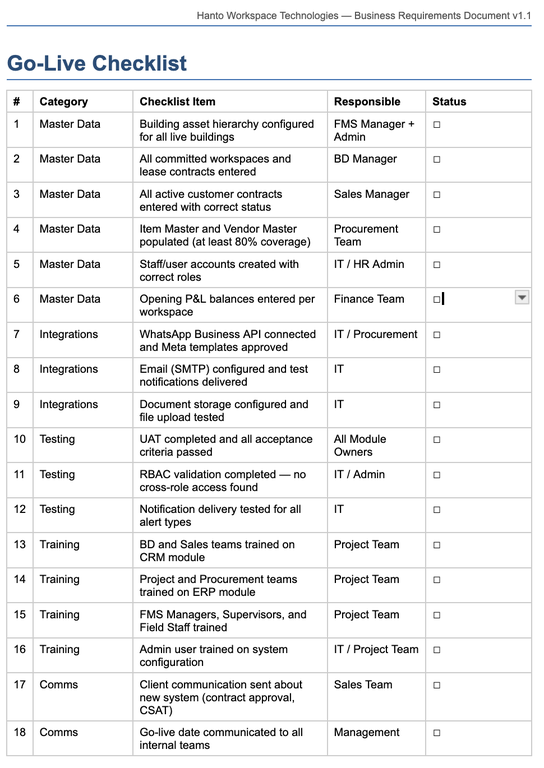
Before the system goes live, we carefully prepare and validate everything to ensure a smooth transition from testing to actual business usage:
- Final UAT verification
- User training sessions
- Data validation and migration checks
- Backup planning
- A complete go-live readiness review with all stakeholders
Our team works closely with your users to make sure they are comfortable with the system, key workflows are tested properly, and critical business data is migrated accurately before deployment.
During the go-live phase, our implementation team remains actively involved to provide deployment support, monitor critical issues, and assist users with any immediate concerns or questions. We closely track system performance and ensure quick resolution of any high-priority issues that may arise during the initial usage period.
This structured go-live support process helps minimise disruptions, improve user confidence, and ensure a smooth and successful transition to the live production environment.
Frequently Asked Questions
First-time clients or low-trust outsourcing setups usually fit Waterfall. Businesses with evolving workflows and fast-paced growth usually fit Agile.
Agile projects get sprint demos and progress updates every two weeks. Waterfall projects are reviewed in weekly sync meetings, with reports shared through project channels.
Anything outside approved scope goes through the Change Request process: analysis, effort estimate, timeline impact, cost evaluation where needed, and approval before implementation.
Every project has a dedicated SPOC / Functional Lead who coordinates between your team and ours, tracks progress, monitors dependencies, and handles escalations.
During go-live we provide deployment support, monitor critical issues, track performance, and resolve high-priority issues quickly during the initial usage period.